Deleting and Restoring Projects (Trash Function)

Organize and send unnecessary projects to the trash.

Delete or restore projects that you have placed in the trash.

Restore a project if it was accidentally deleted or if it is needed again later.

Move a project to the trash

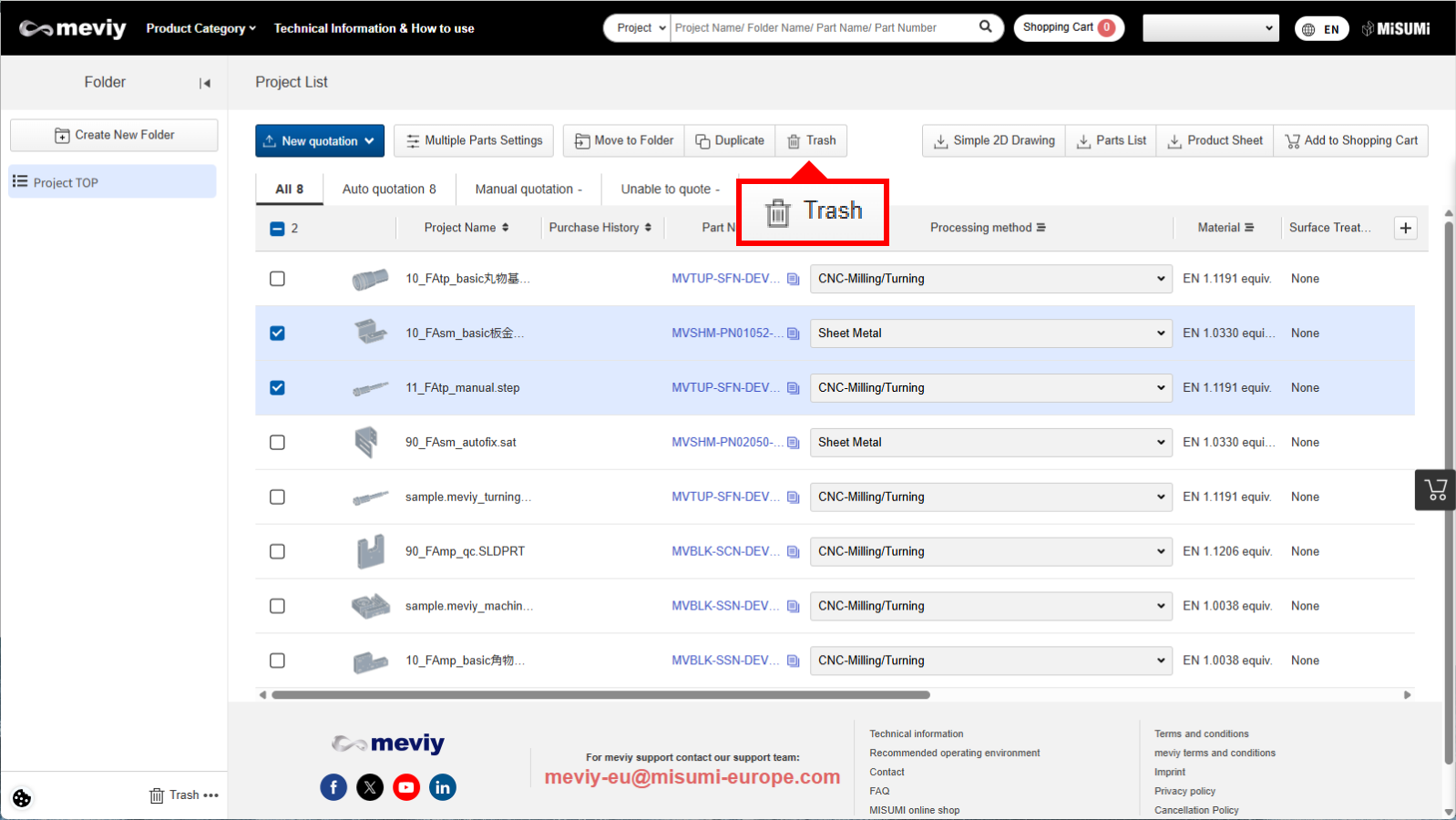
Select the project you want to move to the trash on the project list screen and click the “Trash” button to move it to the trash folder.

Check the Trash folder

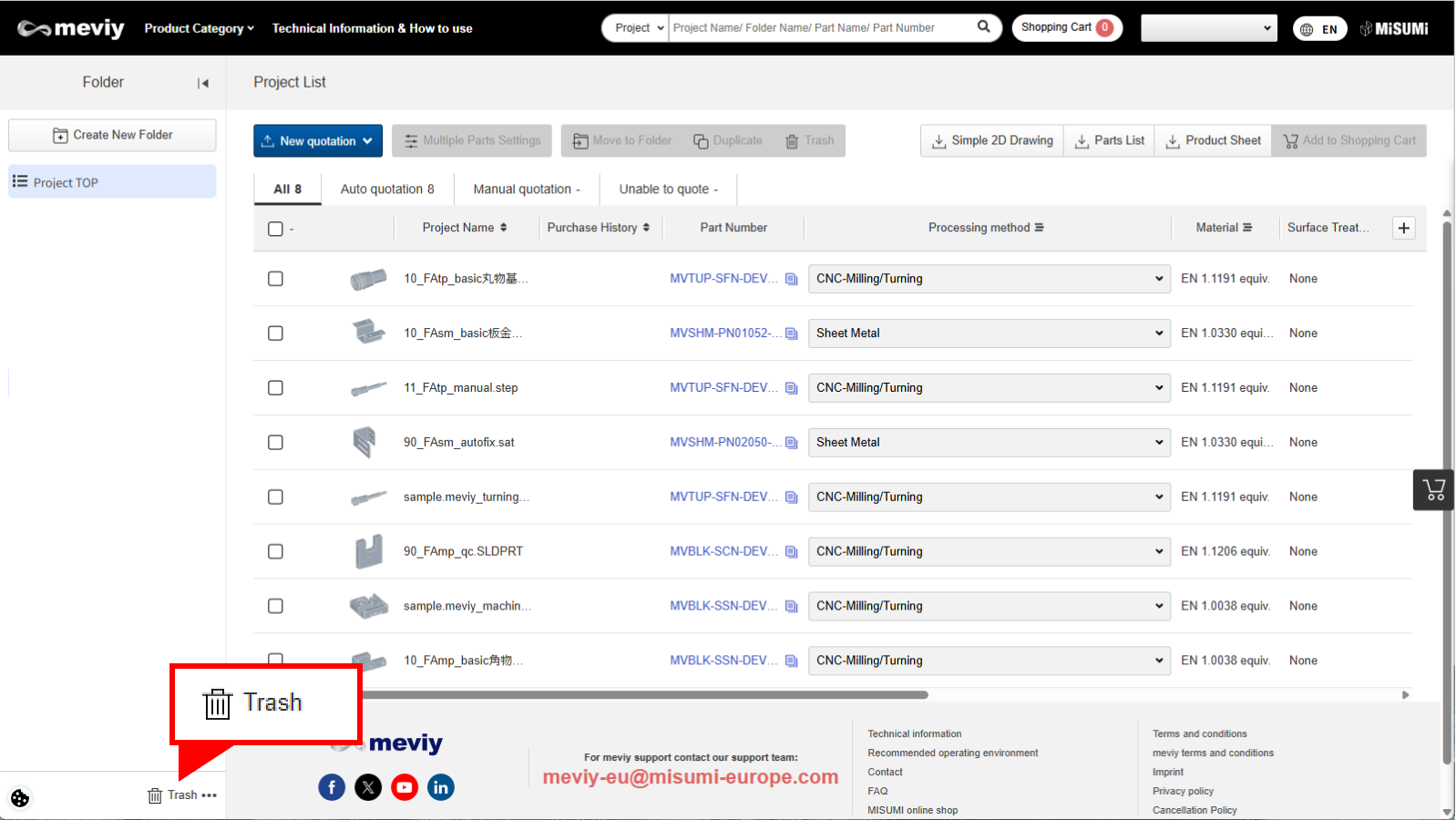
There is a trash can button at the bottom of the folder list, and clicking it will take you to the trash folder.

Delete or restore a project in the Trash folder

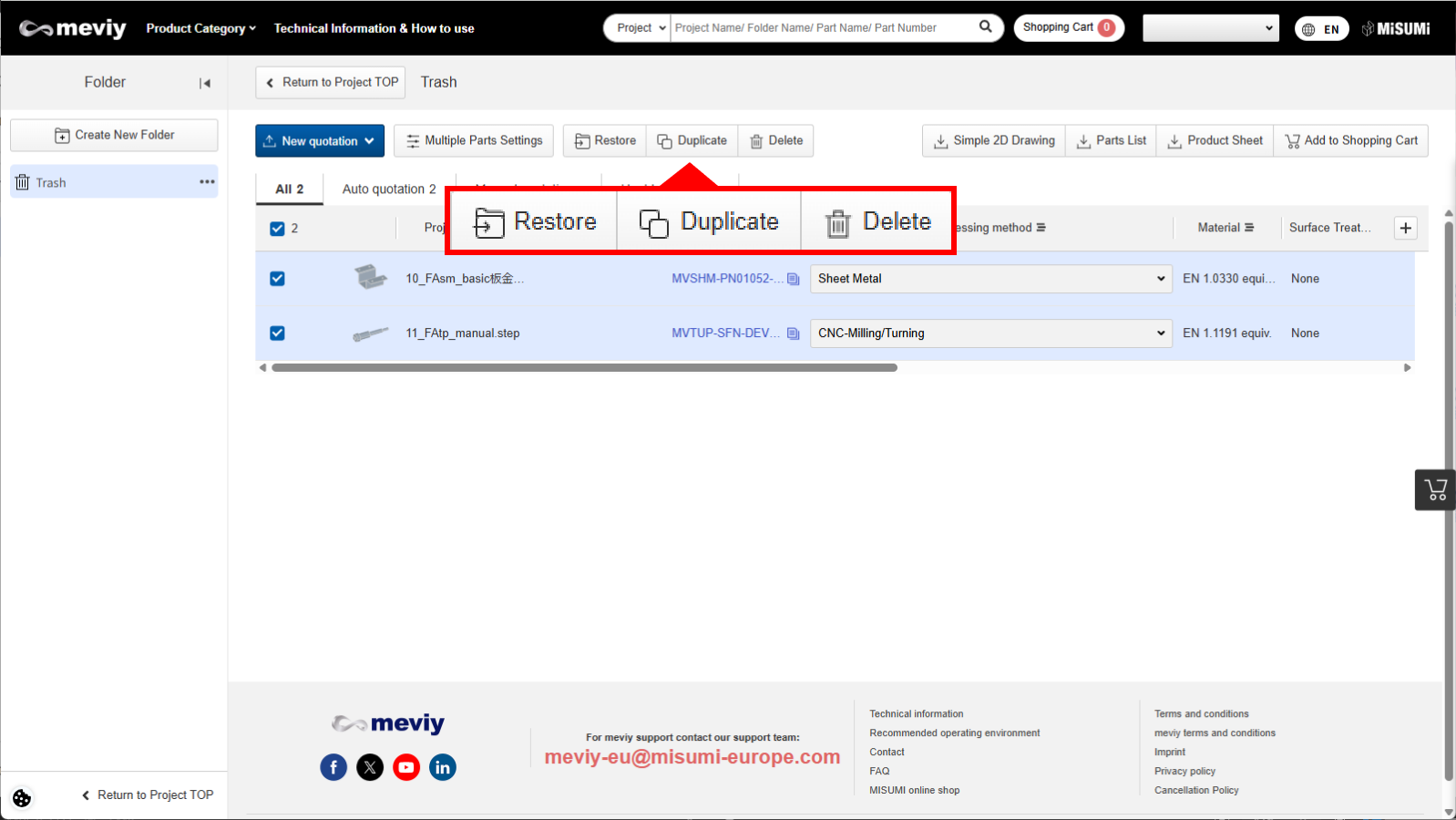
Select the project you want to delete or restore and click the button to delete or restore it.

Please note that deleting a project in the Trash folder will permanently remove it from your account.

Empty the Trash folder

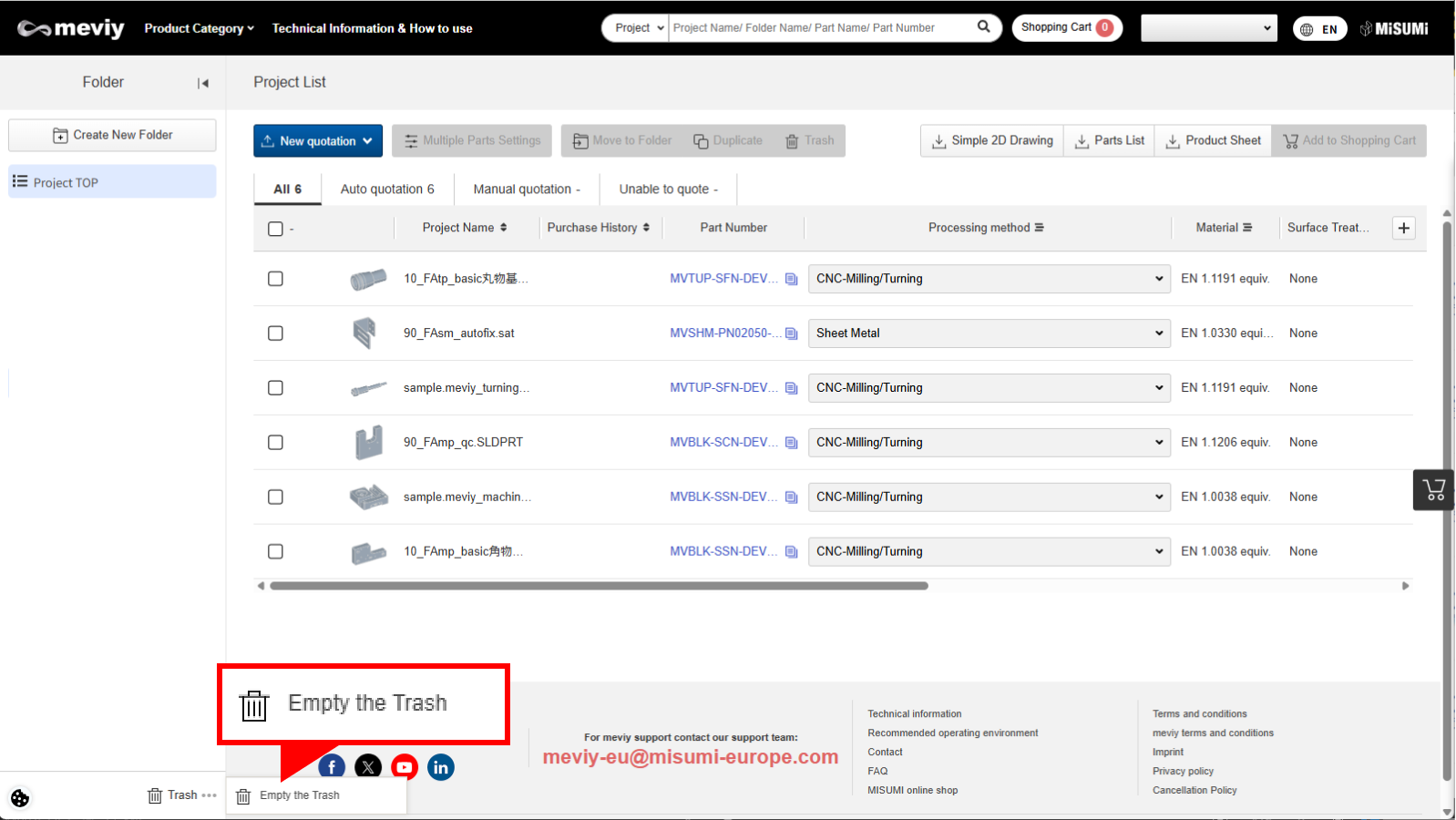
Click on the trash then click “Empty the Trash”.

You can delete all projects in the Trash folder at once.

Caution

  • ・The trash can is not available for shared projects and shared folders.
  • ・These projects cannot be moved to the trash.
  • – Projects that only consist of assembly child parts
  • – Projects with edit permissions that are open in the 3D viewer

Recently viewed articles