Automatic Recognition of Tapped holes from Hole Diameter

The hole shape and “hole diameter” are detected according to each CAD software, allowing tapped holes to be automatically recognized and reflected in meviy.

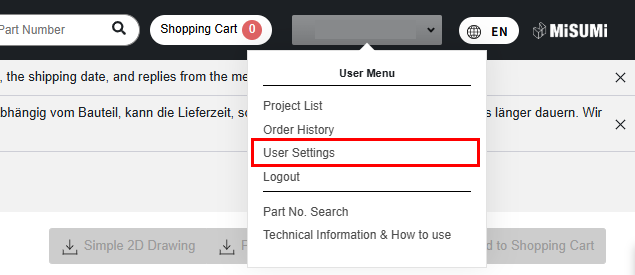
Setup Method

STEP2:

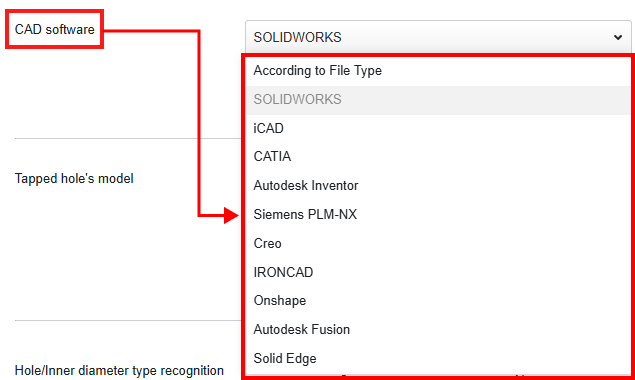
Select the CAD software you want to use from the drop-down menu.

STEP3:

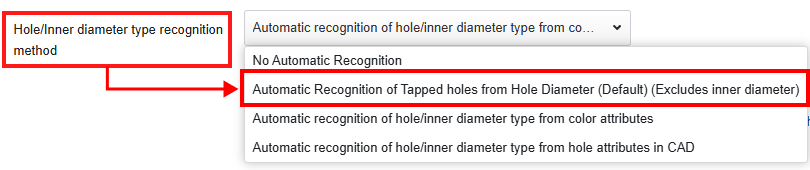
How to recognize the type of holes and inner diameters
From the drop-down menu, select “Automatic Recognition of Tapped holes from Hole Diameter (Default) (Excludes inner diameter)”.

STEP4:

Click “Save Settings” at the bottom of the page.

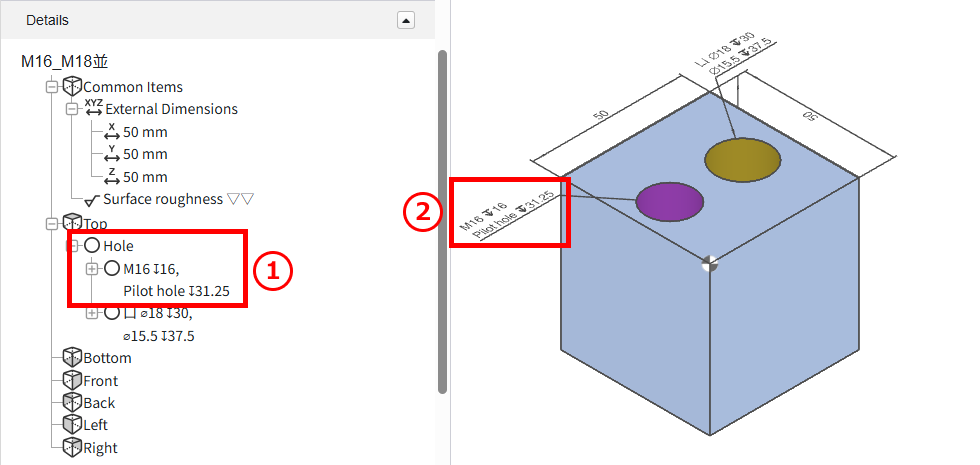
After uploading the data:

  • The linked threaded holes will be displayed.
  • ①Hole list in the tree view
  • ②In the 3D viewer

Caution

When using this feature, please make sure to review the hole auto-recognition results in meviy.

  • Customized pilot hole diameters are not automatically recognized.
  • Original hole attribute information assigned in 3D CAD is not carried over.
  • This function does not link the machining direction.

    If the pilot hole is penetrated, check the machining direction.

Recommended:Set the thread recognition method to “3D CAD Name” (see “Recognition Conditions for Various Holes“).

 Tapped Hole Identification Settings:CAD softwares
Tap Size

(Coarse)

Creo
onshape

SW(A)

Solid Edge

IRON

NX
CATIA V5

Inventer

SW(B)

iCAD SX

Fusion
M21.61.61.5721.62
M2.52.052.052.012.52.08
M32.52.52.4632.53
M43.33.33.2443.33
M54.24.24.1354.23
M6554.9265.04
M86.86.86.6586.78
M108.58.58.38108.53
M1210.210.310.111210.27
M141212.111.841412.02
M16141413.841614.02
M1815.515.515.2915.515.52
M2017.517.517.2917.517.52
M2219.519.519.2919.519.52
M24212120.752121

Recently viewed articles