Automatic Recognition of hole / inner diameter type from Color Attributes

The colour displayed on the side of the hole in the model is automatically recognised, and the hole and inner diameter type can be reflected in meviy by matching it with the pre-registered value.

Setup Method

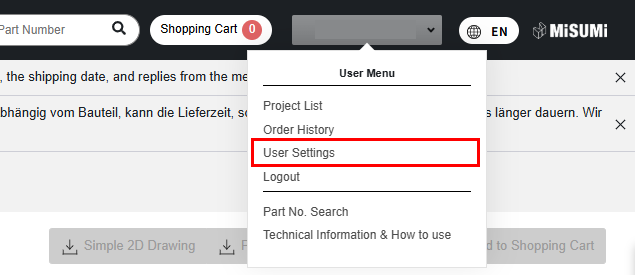
STEP2:

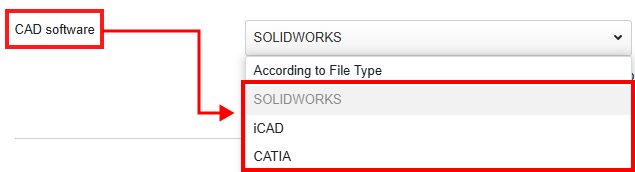
Select SOLIDWORKS or ICAD from the CAD dropdown menu.

STEP3:

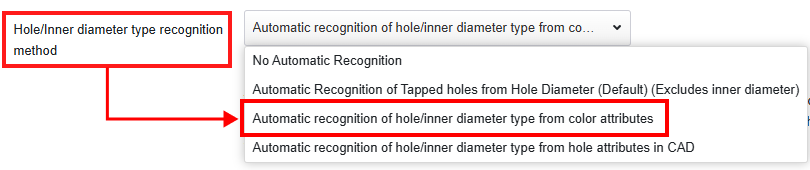
To recognize the hole/inner diameter type: select “Automatic recognition of hole/inner diameter type from color attributes” from the drop-down menu.

STEP4:

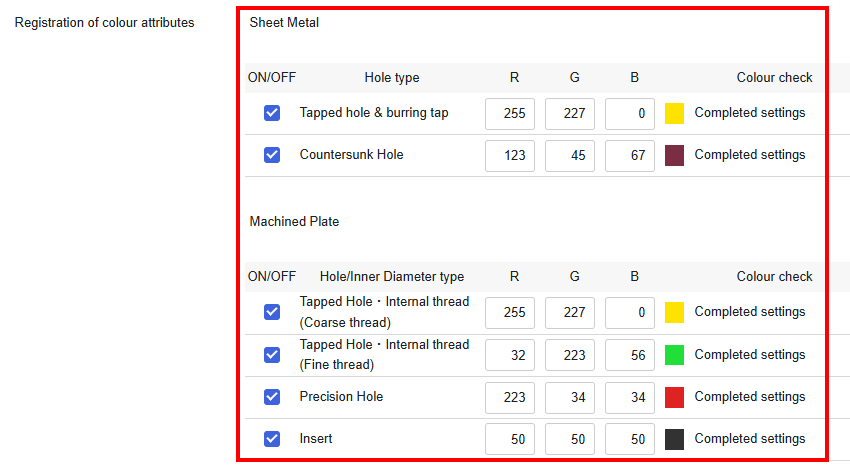
Check the ON/OFF button for the hole/inner diameter type you want to set and activate the RGB entry field.

Put the values in RGB.

Note: RGB should be set at a value of 0~255.

Items Details
1 ON/OFF It is possible to switch the setting on and off for each hole/inner diameter type.
2 Hole/Inner Diameter type This is a list of hole/inner diameter types that can be automatically recognized by color attribute linking.
3 RGB This field is used to register the color attributes, with a value between 0 and 255 for each RGB.
4 Colour check A message about the status of the RGB settings is displayed.

STEP5:

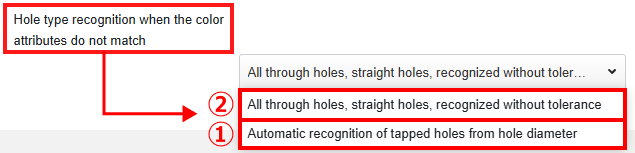
You can specify how the hole type is recognized when the color attributes (RGB values) do not match.

Select one of the following options from the drop-down menu:

①Automatic recognition of tapped holes from hole diameter
If the color attribute is not linked, the threaded hole is automatically recognized based on the hole diameter.
Automatic recognition of tapped holes from hole diameter
②All through holes, straight holes, recognized without tolerance
If the color attributes are not linked, it is recognized as a straight hole or a through hole.
Click “Save Settings” at the bottom of the page.

After uploading the data:

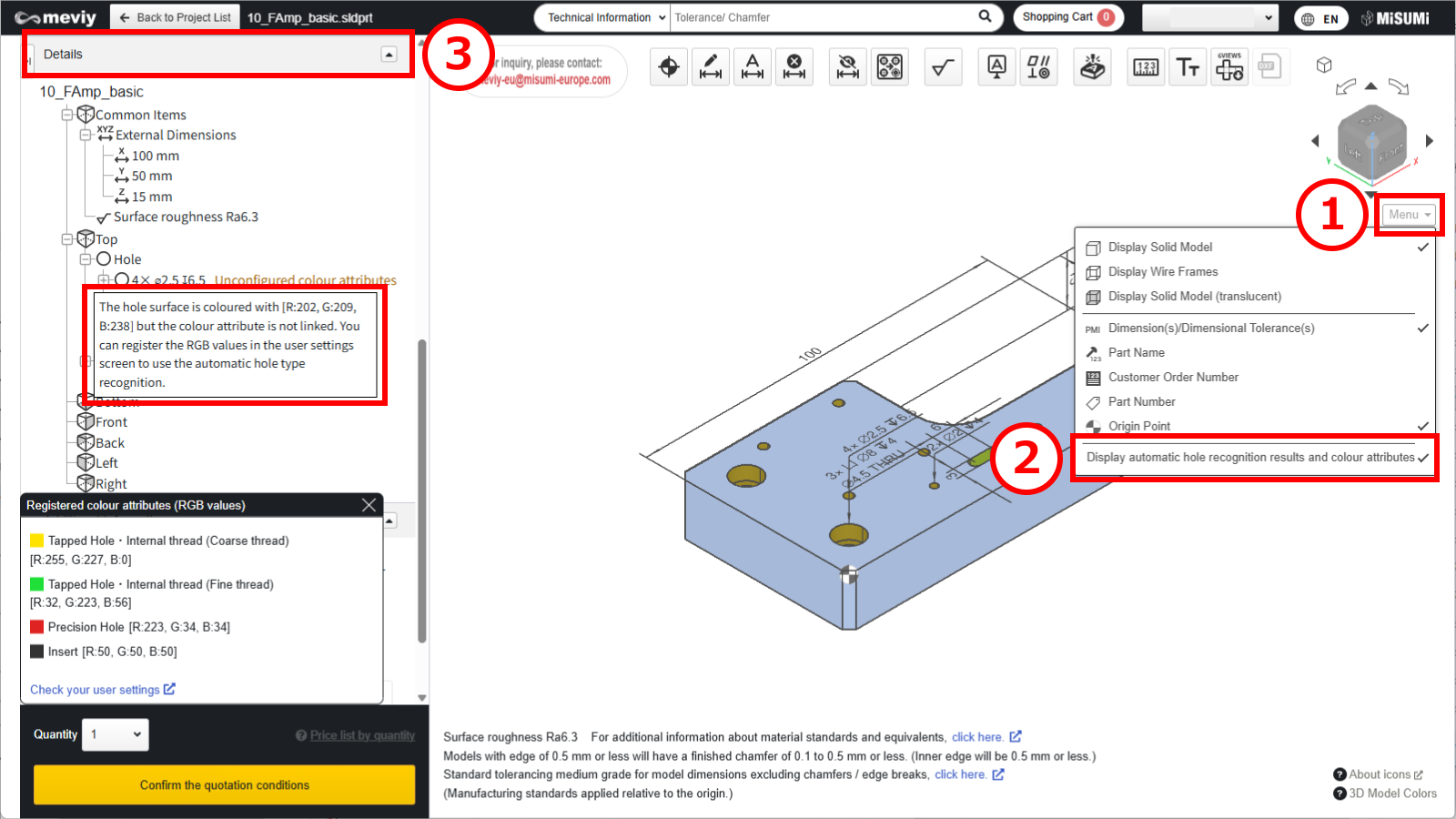
(1) Hover the mouse over [ Menu ] in the 3D viewer.
(2) Click [ Display automatic hole recognition results and colour attributes ].
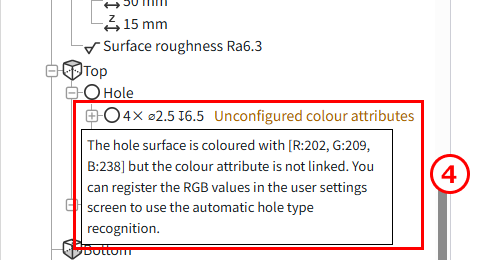
(3) The list of holes in the details displays information about the linked color attributes.
(4) To recognize the hole and inner diameter type: select “Automatically recognize threaded holes based on hole diameter (without inner diameter)” from the drop-down menu.

Tip

Caution

Restrictions apply to the types of hole and inner diameter that can be linked from the colour attribute.
Please refer to the following precautions and adjust the meviy settings as required.
  • Tapped holes/Internal threads will not be linked to meviy unless the pilot hole diameter and specified colour (RGB) match for each CAD system.
  • Please refer to the following for the pilot hole diameters for each CAD system.
  • This function does not link the machining direction.
    If the pilot hole is penetrated, check the machining direction.

・3D CAD format for colour attributes

CAD softwaresNativeIntermediate format(Parasolid)
(.sldprt)(.icd).x_t.x_b.xmt_txt
SOLIDWORKS
iCAD SX

Caution

The automatic recognition of hole/inner diameter type from color attribute is not guaranteed for models created with non-compatible CAD systems or formats.

Recently viewed articles